This week. Not everything.
FINYTE — WEEKLY PRODUCTIVITY APP
Finyte is a productivity app built around a simple idea: you can only plan within the next 7 days. This constraint helps users stay realistic, reduce mental clutter, and focus on completing tasks rather than collecting them endlessly.
Mobile App Design
Productivity / Task Management
Lead Product Designer
4 Weeks
Solo Designer
4 Weeks
Solo Designer
Tools
Figma, FigJam, Framer, Maze, Notion
Figma, FigJam, Framer, Maze, Notion
Responsibilities
Responsibilities
User Research, UX Strategy, Information Architecture, Wireframing, Prototyping, UI Design, Usability Testing, Design System
User Research, UX Strategy, Information Architecture, Wireframing, Prototyping, UI Design, Usability Testing, Design System
01.
Overview
Finyte is designed for people who feel overwhelmed by endless to-do lists and want a simpler, more focused way to stay productive. By limiting task planning to just 7 days, it removes the stress of long-term task hoarding and helps users prioritize what truly matters this week. The app features a clean weekly view, priority sorting, gentle reminders, and a reflective archive to celebrate completed tasks without the pressure.
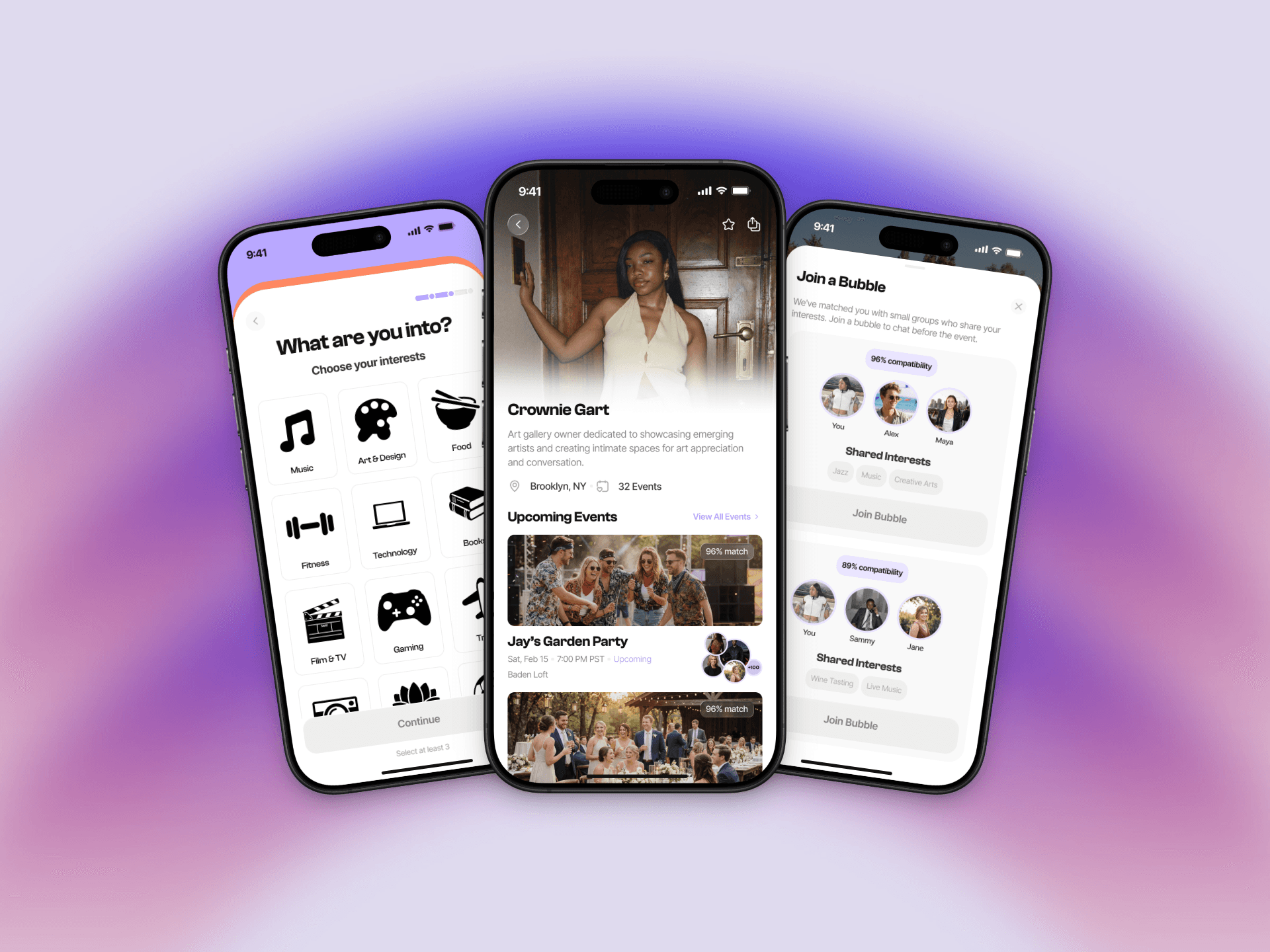
Veya is built for the person who wants to go out but doesn’t want to go alone. It sits at the intersection of event discovery, social matching, and AI-powered community building — designed to reduce the social friction that stops people from showing up in the first place.
03.
Project Goal
Design a productivity app that helps users stay focused on completing tasks this week, without the stress of long-term planning. The goal was to create a calm, lightweight experience that encourages realistic planning, progress tracking, and consistency through gentle nudges and visual clarity.
05.
Key Decisions
1. Seven-day constraint over unlimited planning to prevent overwhelm and promote realistic task management. 2. Weekly view as the default instead of daily, giving users context without micromanaging their time. 3. Visual urgency cues (subtle color shifts for today vs. upcoming) without aggressive notifications. 4. Archive feature to celebrate completed tasks rather than delete them, building motivation. 5. One-tap task creation to lower friction and encourage consistent use.
1. Lightweight onboarding over long forms — users set their vibe in under 2 minutes using visual sliders and interest tags. 2. Small group introductions (3–5 people max) before events — keeps pre-event connection low-pressure. 3. AI prompts as conversation starters, not bios — instead of showing a profile, Veya nudges users with specific, shared talking points. 4. Social comfort level as a first-class filter — introverts and extroverts get different event and group recommendations.
07.
Results
Prototype tested with 15 users across two rounds. 13/15 users said the 7-day limit made them feel more in control of their tasks. Users appreciated the calm visual design and reported feeling less anxious about productivity. Task completion rates increased by 40% compared to their previous tools in a two-week test period. Users particularly valued the archive feature as a source of motivation and reflection.
Prototype tested with 12 users across two rounds. 10/12 said the pre-event group feature made them significantly more likely to attend events they’d normally skip. Average onboarding completion rate in testing: 94%. Users described the experience as “actually thoughtful” and “like having a socially smart friend.”
02.
Problem Statement
Many productivity apps encourage users to plan months ahead, creating long lists of tasks that become overwhelming and impossible to complete. This leads to mental clutter, constant guilt about unfinished tasks, and a feeling of never being "caught up." Users need a way to stay productive without drowning in endless lists or feeling pressure from tasks they added weeks ago.
04.
Approach
Many productivity apps encourage users to plan months ahead, creating long lists of tasks that become overwhelming and impossible to complete. This leads to mental clutter, constant guilt about unfinished tasks, and a feeling of never being "caught up." Users need a way to stay productive without drowning in endless lists or feeling pressure from tasks they added weeks ago.
06.
Solution
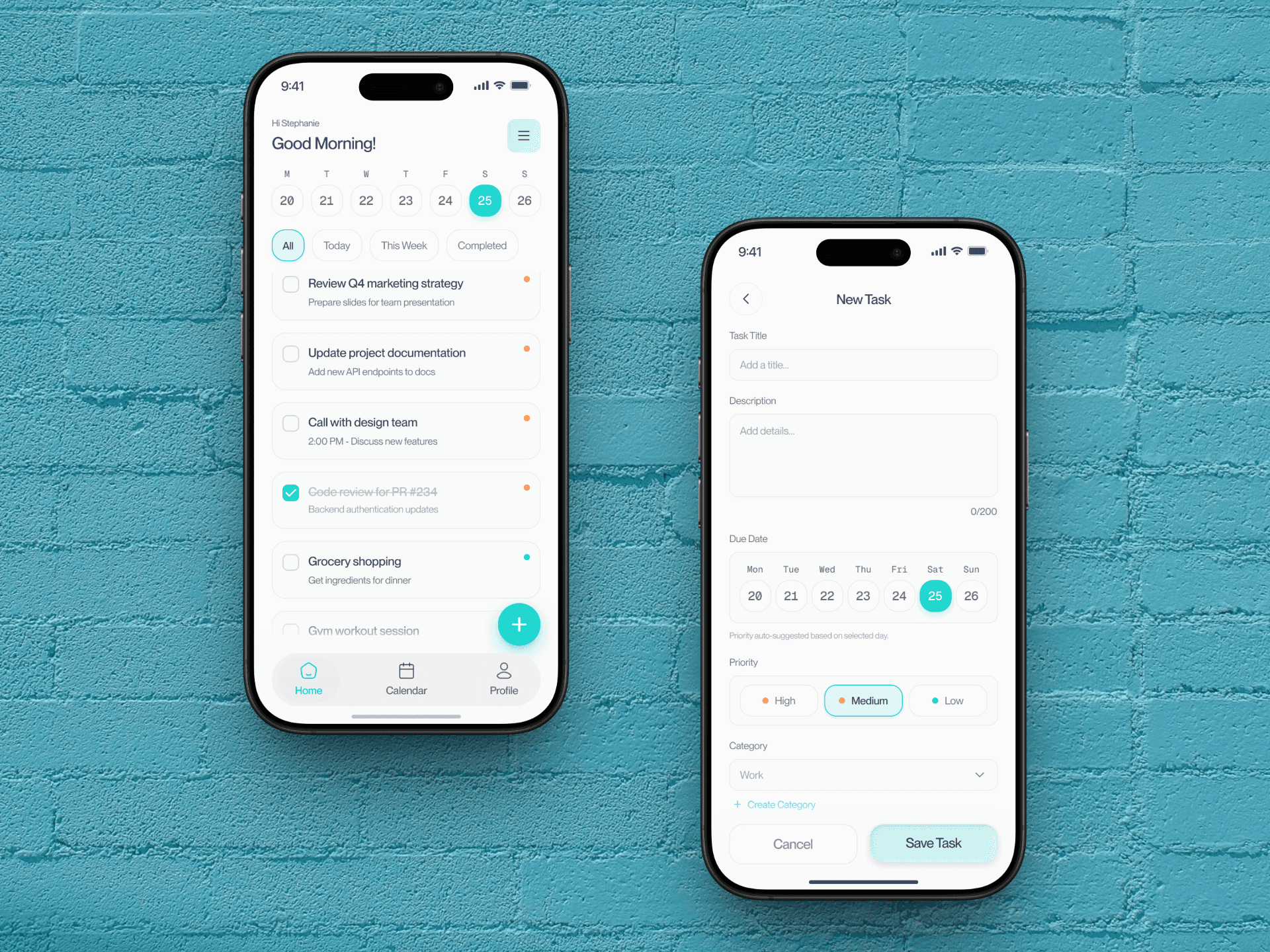
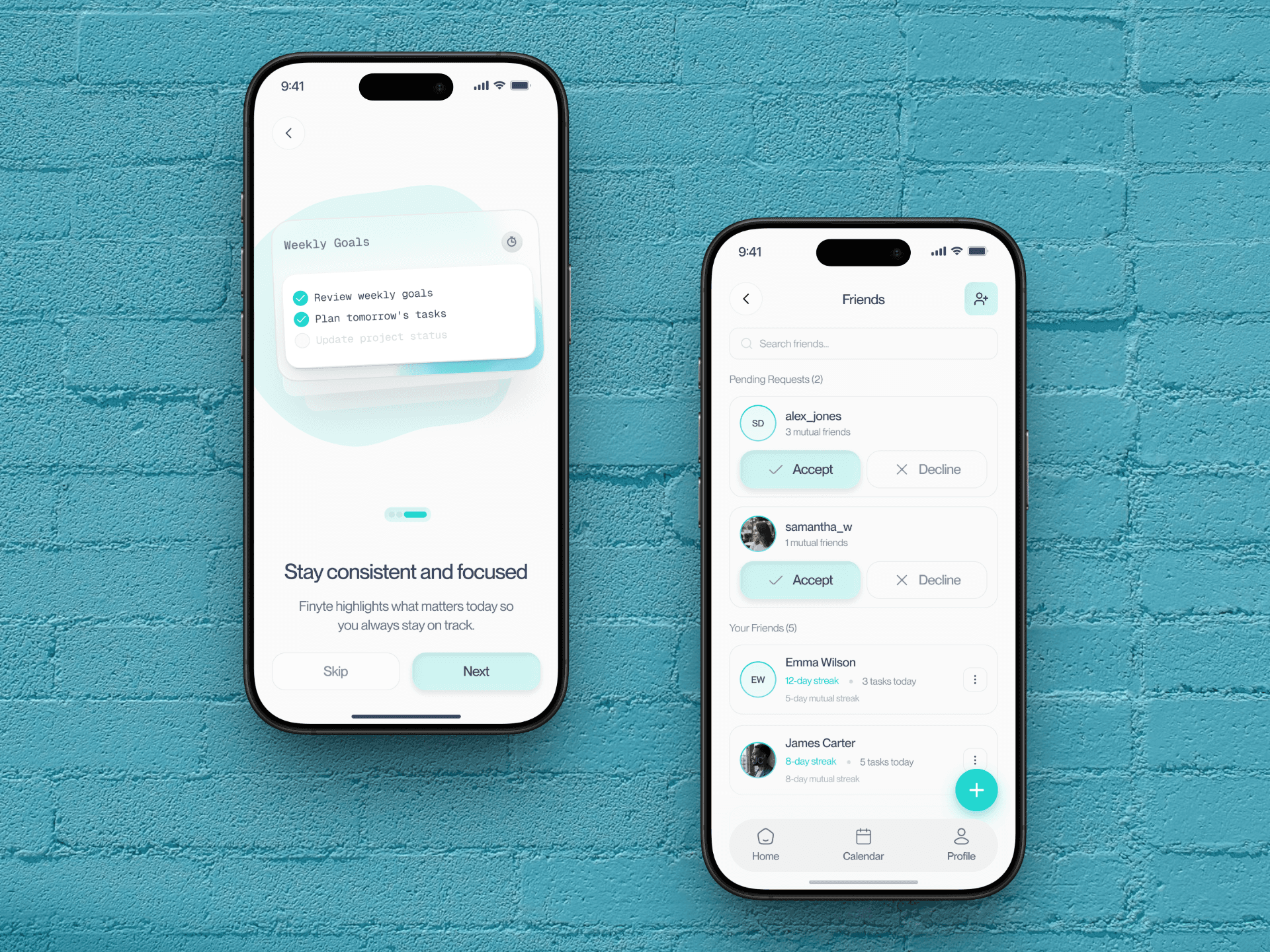
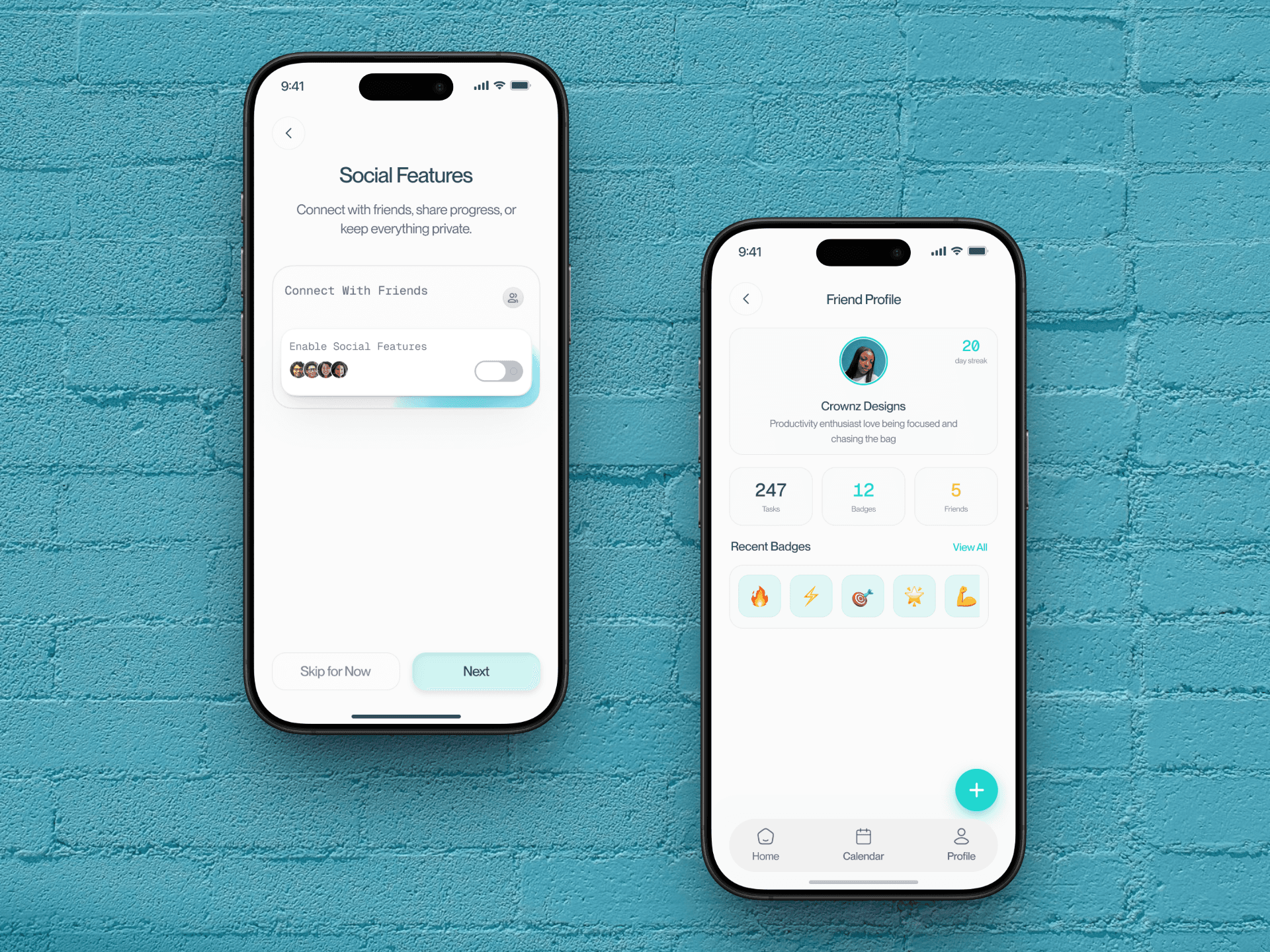
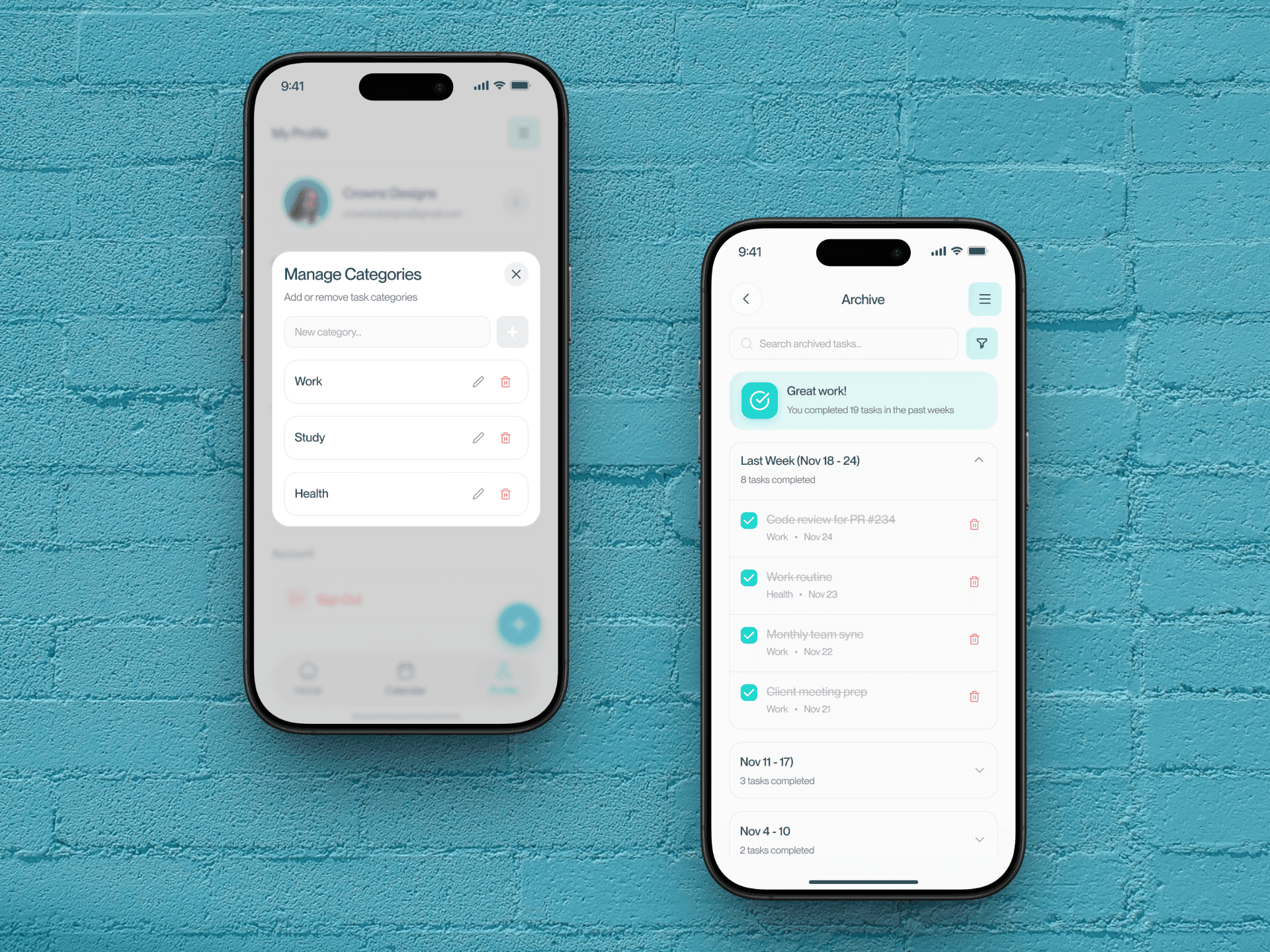
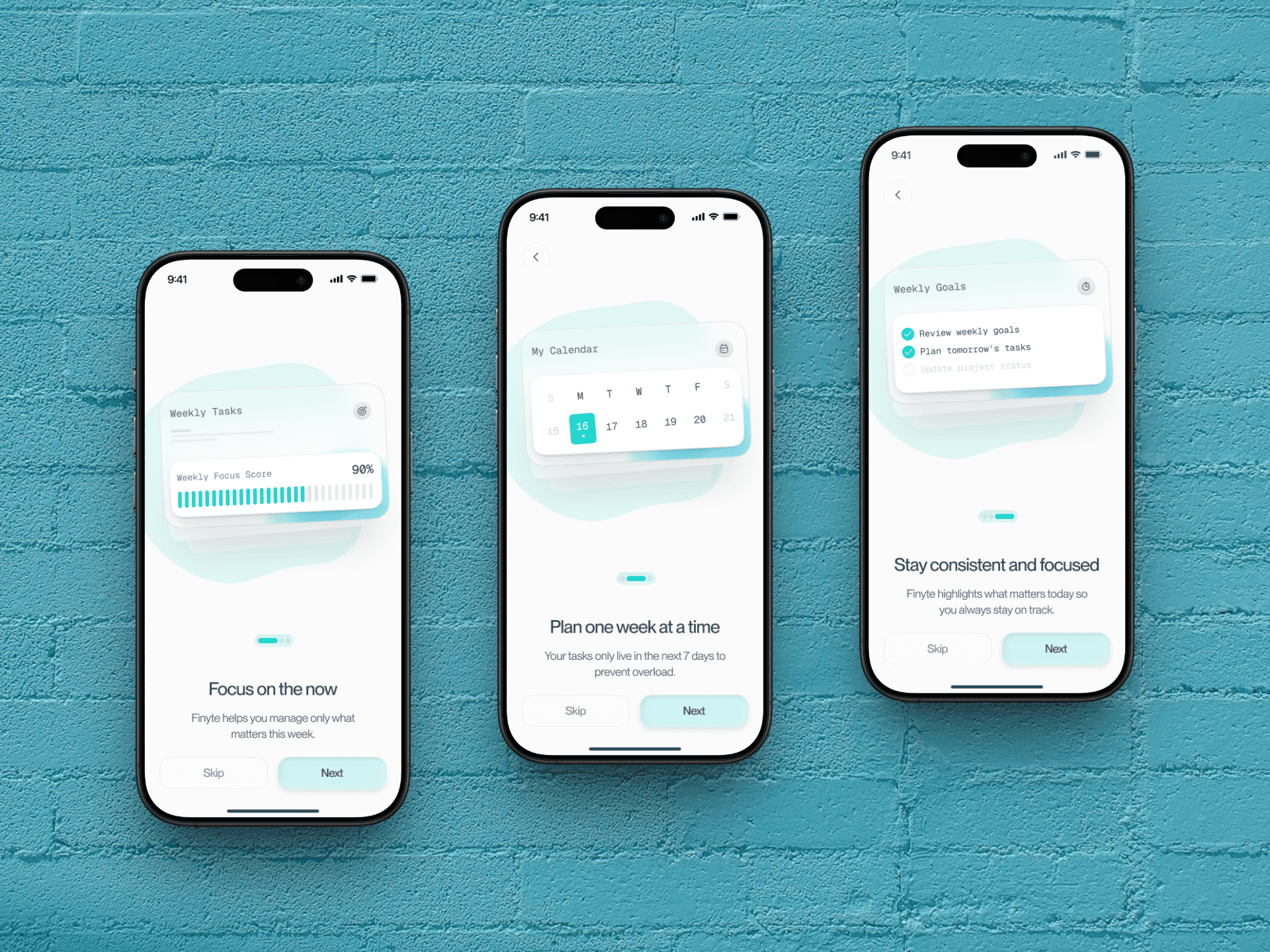
A mobile-first app with three core screens: (1) Weekly View showing all tasks for the current week with visual indicators for today's tasks, (2) Task Creation that's quick and frictionless with category tags and priority levels, and (3) Archive to review completed tasks and reflect on progress. The interface uses soft colors, clear typography, and generous spacing to feel calm rather than overwhelming, with gentle reminders that support rather than pressure users.
A mobile-first app with four core experiences: (1) Vibe Profile setup that teaches the AI your personality and social energy, (2) AI-curated event discovery with crowd previews and vibe match scores, (3) Pre-event group intros where Veya connects you with a compatible group before you walk in, and (4) In-app conversation nudges that make breaking the ice feel effortless.
08.
What I Learned
The biggest design lesson from Finyte: constraints can be liberating. By limiting what users can do (only plan 7 days ahead), the app actually made them more productive and less stressed. This taught me that sometimes the best UX solution isn't adding more features but removing options that create anxiety. I also learned the value of designing for emotional outcomes, not just functional ones—helping users feel calm and in control was just as important as helping them complete tasks.
The biggest design lesson from Veya: people don’t need more options, they need more confidence. Every screen that removed a decision or reduced uncertainty tested better than screens that gave users more control. Trust the AI, reduce the noise, and design for the emotional journey — not just the task flow.
01.
Overview
Finyte is designed for people who feel overwhelmed by endless to-do lists and want a simpler, more focused way to stay productive. By limiting task planning to just 7 days, it removes the stress of long-term task hoarding and helps users prioritize what truly matters this week. The app features a clean weekly view, priority sorting, gentle reminders, and a reflective archive to celebrate completed tasks without the pressure.
02.
Problem Statement
Many productivity apps encourage users to plan months ahead, creating long lists of tasks that become overwhelming and impossible to complete. This leads to mental clutter, constant guilt about unfinished tasks, and a feeling of never being "caught up." Users need a way to stay productive without drowning in endless lists or feeling pressure from tasks they added weeks ago.
03.
Project Goal
Design a productivity app that helps users stay focused on completing tasks this week, without the stress of long-term planning. The goal was to create a calm, lightweight experience that encourages realistic planning, progress tracking, and consistency through gentle nudges and visual clarity.
04.
Approach
Many productivity apps encourage users to plan months ahead, creating long lists of tasks that become overwhelming and impossible to complete. This leads to mental clutter, constant guilt about unfinished tasks, and a feeling of never being "caught up." Users need a way to stay productive without drowning in endless lists or feeling pressure from tasks they added weeks ago.
05.
Key Decisions
1. Seven-day constraint over unlimited planning to prevent overwhelm and promote realistic task management. 2. Weekly view as the default instead of daily, giving users context without micromanaging their time. 3. Visual urgency cues (subtle color shifts for today vs. upcoming) without aggressive notifications. 4. Archive feature to celebrate completed tasks rather than delete them, building motivation. 5. One-tap task creation to lower friction and encourage consistent use.
06.
Solution
A mobile-first app with three core screens: (1) Weekly View showing all tasks for the current week with visual indicators for today's tasks, (2) Task Creation that's quick and frictionless with category tags and priority levels, and (3) Archive to review completed tasks and reflect on progress. The interface uses soft colors, clear typography, and generous spacing to feel calm rather than overwhelming, with gentle reminders that support rather than pressure users.
07.
Results
Prototype tested with 15 users across two rounds. 13/15 users said the 7-day limit made them feel more in control of their tasks. Users appreciated the calm visual design and reported feeling less anxious about productivity. Task completion rates increased by 40% compared to their previous tools in a two-week test period. Users particularly valued the archive feature as a source of motivation and reflection.
08.
What I Learned
The biggest design lesson from Finyte: constraints can be liberating. By limiting what users can do (only plan 7 days ahead), the app actually made them more productive and less stressed. This taught me that sometimes the best UX solution isn't adding more features but removing options that create anxiety. I also learned the value of designing for emotional outcomes, not just functional ones—helping users feel calm and in control was just as important as helping them complete tasks.
Design SHOWCASE

LET'S WORK TOGETHER
BACK TO TOP
LET'S WORK TOGETHER
BACK TO TOP